
AI Photo Editor
Upload an image, describe your desired changes, and let AI bring it to life
Click or drag to upload (Max 30MB)
10 free credits daily, 2 credits per image
Example Effects
1 / 4


AI Photo Editing for Every Scenario
See how professionals and creators use AI Photo Editor to transform their workflow.
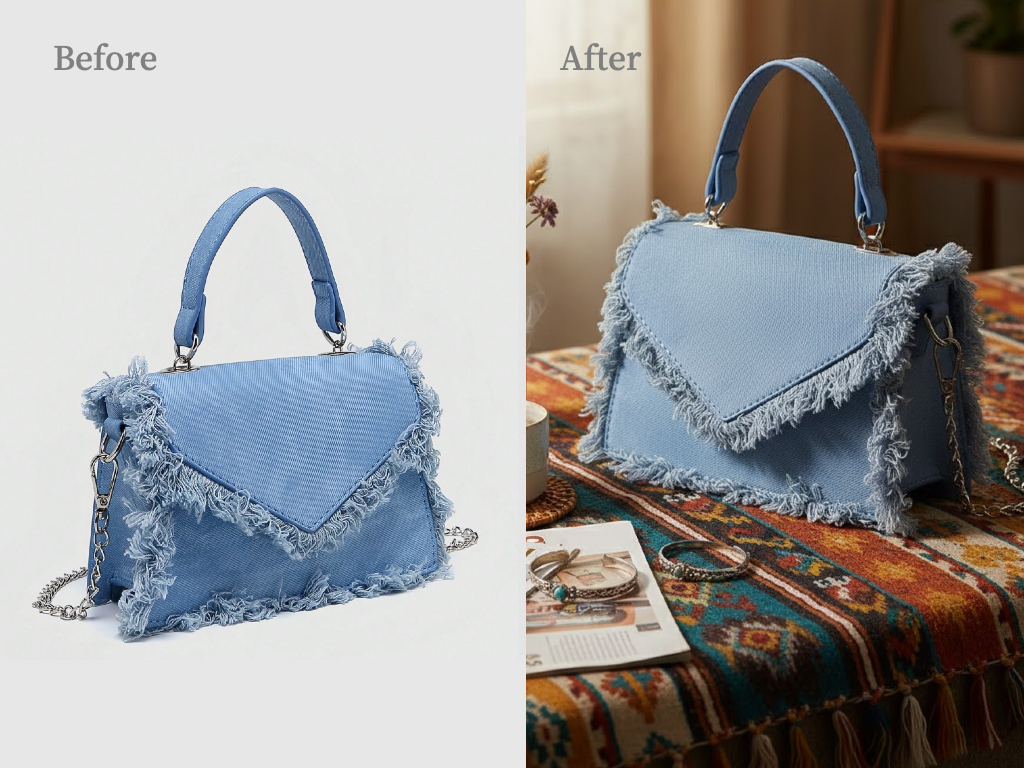
Professional Product Photos in Seconds
Remove backgrounds from product photos, correct lighting, and create marketplace-ready images that boost conversions. Perfect for Amazon, Etsy, and Shopify sellers who need professional product photography at scale.
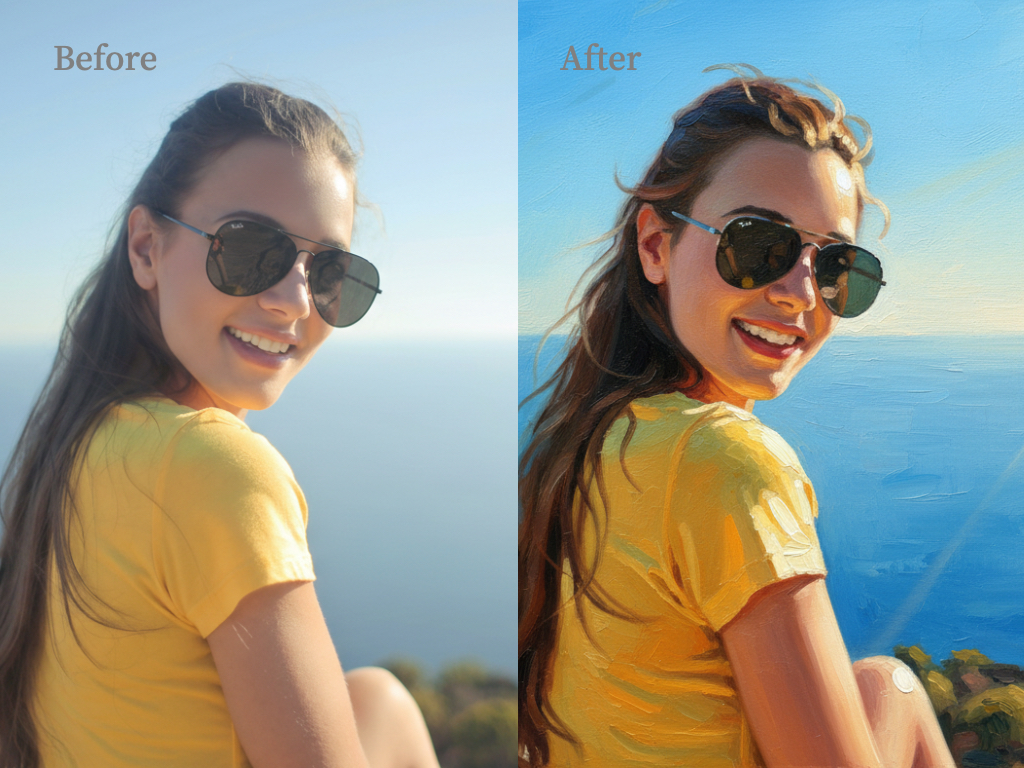
Transform Any Photo Style with a Single Prompt
Switch photo styles instantly — turn everyday shots into cinematic stills, vintage film, anime illustrations, oil paintings, and more. Just describe the style you want and AI handles the rest.
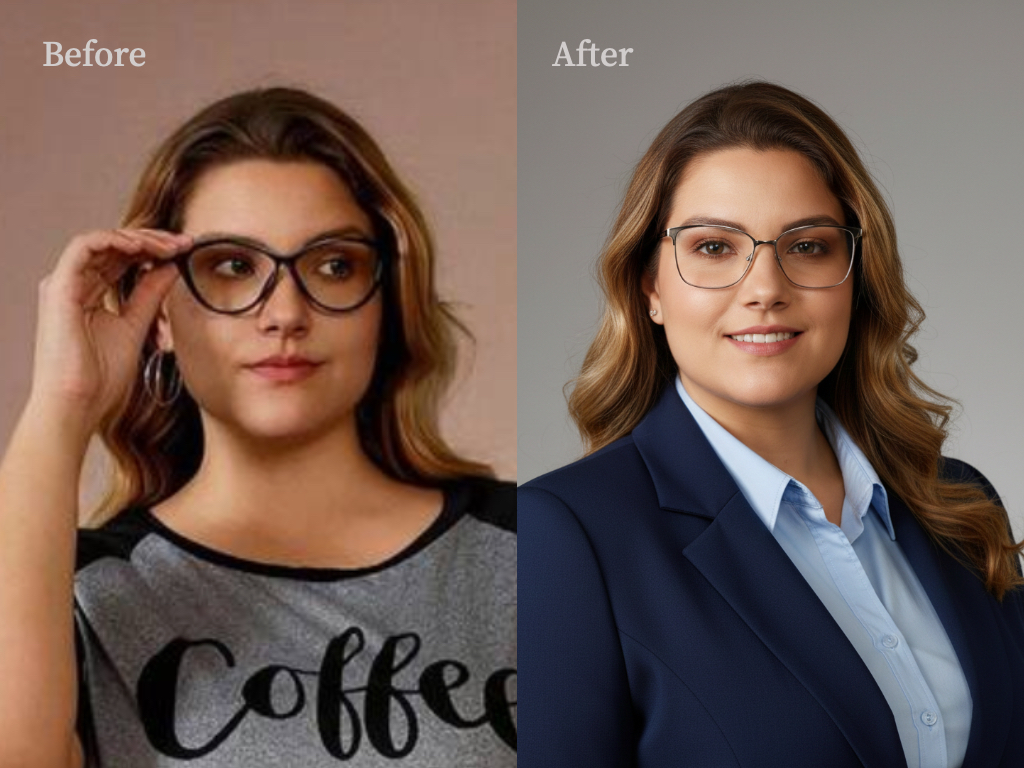
Studio-Quality Headshots Without the Photoshoot
Create polished professional headshots for LinkedIn profiles, resumes, and corporate websites. Upload your photo and get studio-quality business headshots in minutes — save hundreds compared to traditional photography.
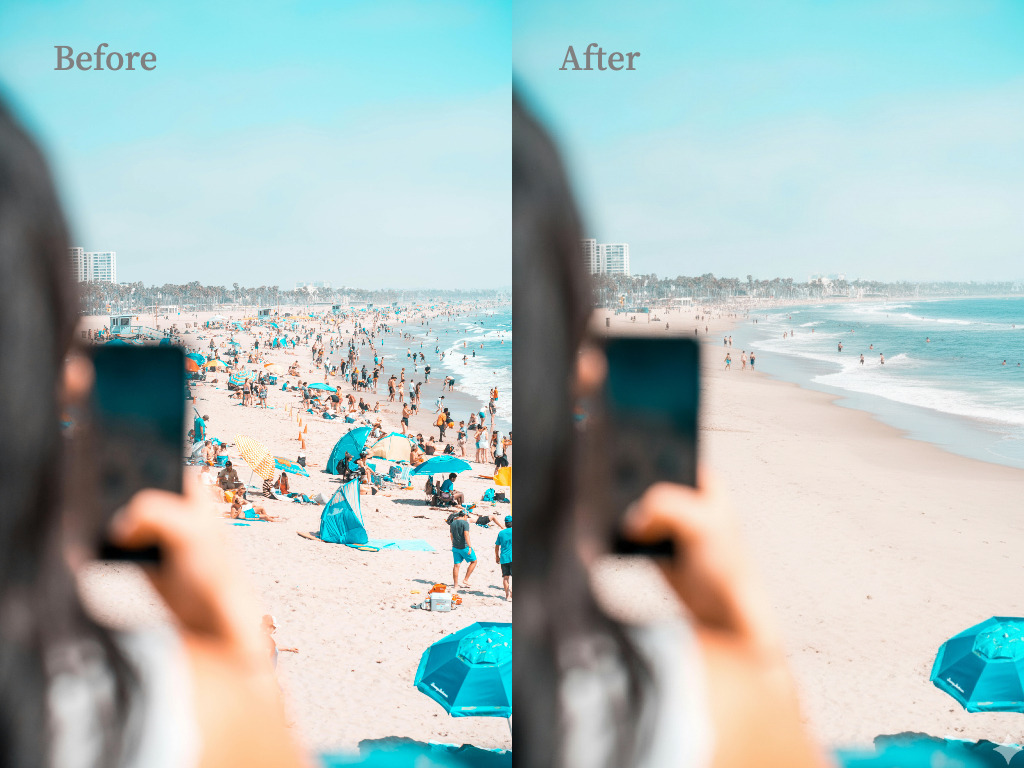
Clean Travel Photos, Free of Strangers
Enhance your travel shots with AI-powered crowd removal, background cleanup, and scene restoration. Erase strangers from busy landmarks, fix compositions, and create postcard-quality travel photos that look like you had the whole place to yourself.
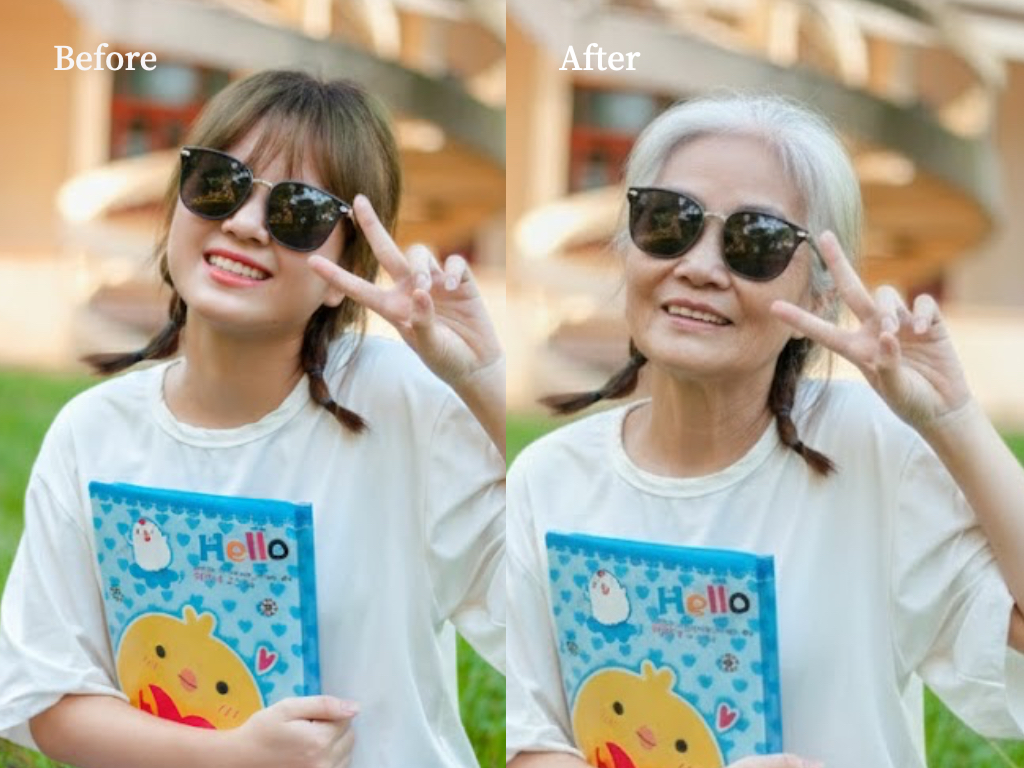
See Yourself 30 Years Older or Younger
Curious what you'll look like in 30 years — or what you looked like as a child? AI-powered age transformation realistically adjusts facial features, skin texture, and hair to show any age with stunning accuracy.
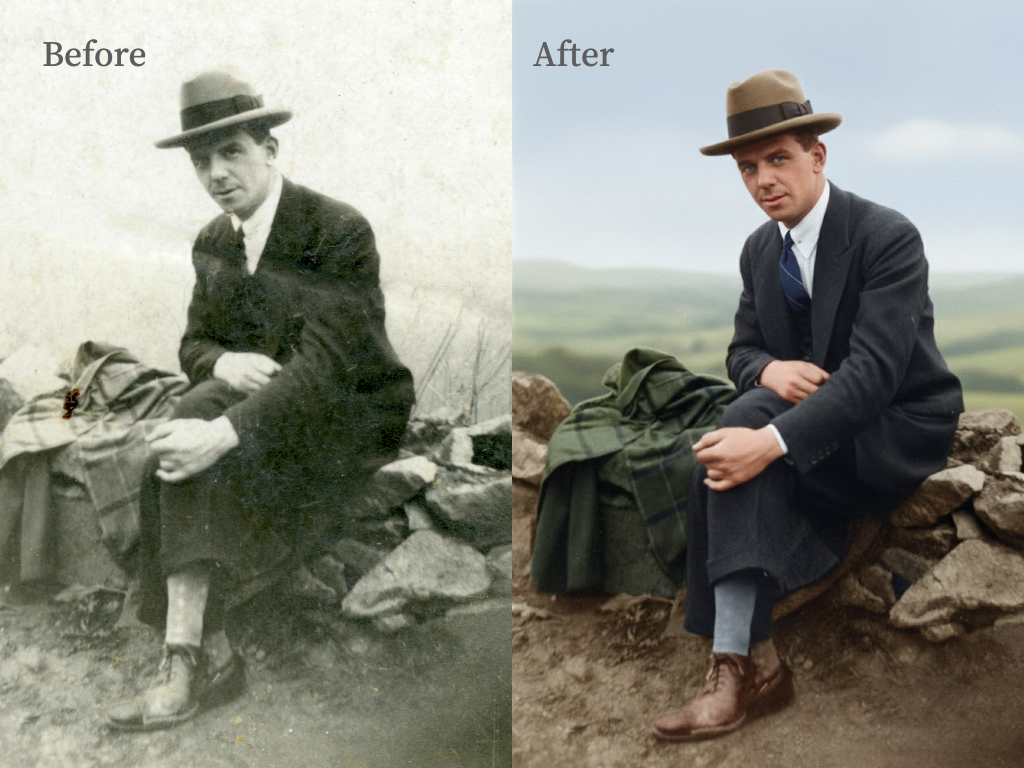
Bring Your Family Memories Back to Life
Restore damaged, faded, and scratched old photos with AI. Automatically repair tears, enhance details, and colorize black-and-white images. Preserve precious family memories in seconds.
How It Works
Edit your photos in three simple steps — no design experience required.
Who Is This For
Whether you're a solo creator or a large team, our AI photo editor fits your workflow.
E-Commerce Sellers & Product Photography
Create clean, professional product images with white backgrounds and consistent lighting — perfect for Amazon, Shopify, and Etsy listings.
Content Creators & Influencers
Produce stunning visuals with AI-enhanced colors, style transformations, and creative background swaps in seconds.
Professional Photographers
Speed up your post-processing workflow — batch retouch portraits, fix lighting, and deliver polished results to clients faster.
Designers & Marketing Teams
Generate campaign-ready visuals, remove distracting elements, and maintain brand consistency across all marketing materials.
Why Choose Our AI Photo Editor
Built for speed, precision, and simplicity — here's what sets us apart.
No Design Skills Required
Our AI handles the complex editing work. Just upload, choose a tool, and download — anyone can get professional results.
Batch Processing for High-Volume Editing
Process hundreds of images at once with consistent quality. Perfect for e-commerce catalogs and marketing campaigns.
High-Precision Edge Detection
Our AI accurately detects complex edges like hair, fur, and semi-transparent objects — no jagged cutouts or artifacts.
Pay-As-You-Go Credits — No Subscription
Only pay for what you use. No monthly fees, no commitments. Free daily credits let you try everything before buying.
Frequently Asked Questions
Have another question? Contact us by email.
What is AI Photo Editor and how does it work?
AI Photo Editor is an AI-powered image editing tool that transforms your photos using simple text commands. Just upload an image, describe the changes you want — like "remove the background" or "change lighting to sunset" — and our AI applies the edits automatically in seconds. No design skills required.
Is AI Photo Editor free to use?
Yes! Every user gets free credits daily to try all editing tools. For heavier usage or commercial projects, you can purchase additional credits on a pay-as-you-go basis — no subscription or monthly fees required.
How does the credit system work?
Free users receive daily credits that reset every 24 hours. Purchased credits never expire — use them at your own pace. Different editing features cost different amounts of credits depending on complexity.
What image formats and sizes are supported?
We support JPG, PNG, and WebP formats. Maximum upload size is 10MB per image. Edited images are exported in high-resolution PNG format suitable for both personal and professional use.
How fast is the AI photo editing process?
Most edits are completed within seconds. Our optimized AI inference pipeline ensures fast generation of high-quality images without long waiting times.
How accurate is the background removal and edge detection?
Our AI uses high-precision edge detection that handles complex edges like hair, fur, and semi-transparent objects with professional-grade accuracy. Results rival manual editing in most cases — no jagged cutouts or artifacts.
Does AI Photo Editor save or store my photos?
We take your privacy seriously. Uploaded images and AI-edited results are not permanently stored on our servers. Your photos remain yours and are not used for any other purpose.
What makes AI Photo Editor different from other AI photo editors?
AI Photo Editor uses advanced contextual AI that understands complex editing instructions and the relationships between image elements. Unlike basic filter apps, our AI delivers professional-grade results with natural text commands — supporting background removal, object cleanup, portrait retouching, style conversion, and more.
Can I use edited images for commercial purposes?
Absolutely. All images you edit are yours to use for any purpose — personal, commercial, or client work. There are no usage restrictions on your output.
Is there an API for batch processing?
Yes, we offer an API for developers and businesses who need to process images at scale. You can batch-process hundreds of images with consistent quality — perfect for e-commerce catalogs and marketing campaigns. Contact us for API access and documentation.
Transform Your Photos with AI Today
Start editing for free. No design skills needed.